
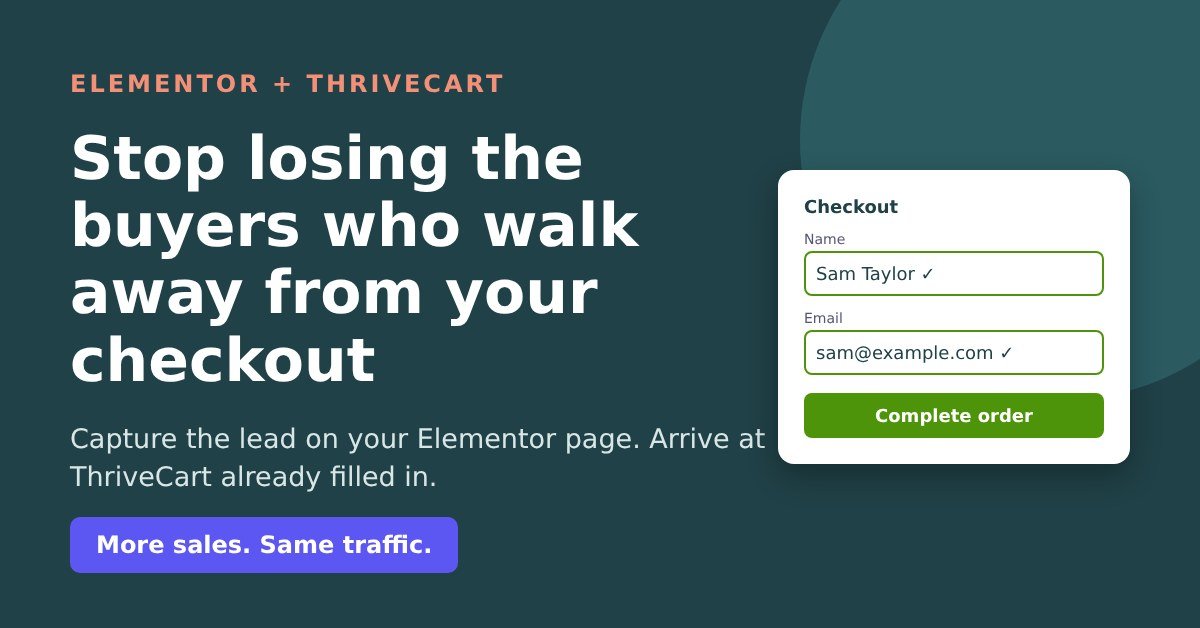
Picture it. Someone has read your Elementor sales page right to the bottom. They’ve watched the video. They click Buy, land on your ThriveCart checkout and start reaching for their card.
Then the doorbell rings. The kids scream. The boss calls. Tab closed. Gone.
And here’s the bit that really stings: you have no idea who they were. People reach your checkout every day, and most of the ones who leave are complete strangers to you.
If you build your pages in Elementor and sell through ThriveCart, this post is for you. I’ll show you what Elementor can already do about it (more than most people think), where it runs out of road, and the simplest way to close the gap.
You’re not imagining it: most checkout visitors leave
On average, 70.2% of people who reach an online checkout leave without buying (Baymard, 2026, an average across 50 studies). That’s roughly 7 in every 10. It isn’t an Elementor problem or a ThriveCart problem. It’s just what people do.
What matters is what happens next. If you know who they were, you can send a friendly reminder and win some of them back. If you don’t, they’re gone, and so is whatever you spent on ads, content and time to get them there.
“Doesn’t ThriveCart catch them anyway?”
Partly, and it’s a useful feature. But ThriveCart’s own support team told me a buyer is only stored as a possible abandoned cart after they’ve typed in the name field and clicked back out of it, and the same again for email. Plenty of people leave before they get that far. ThriveCart also doesn’t send the reminder emails itself; it passes the name and email to your email provider, which sends the sequence. So with checkout capture alone, most of the people who walk away stay anonymous.
Which kind of Elementor seller are you?
Seller one: your Buy button goes straight to ThriveCart. This is most people. Nobody is captured before the checkout, so you can’t reach most of the people who leave. The fix is a short opt-in on your Buy button: they click Buy, a small pop-up asks “Where should we send your order details?” and asks for their name and email; then they carry on to the checkout. That captures 100% of all cart visitor leads, so everyone who walks away can get a follow-up.
The catch? Now they have to type their name and email again at ThriveCart, which is exactly the kind of friction that makes people give up.
Seller two: you already capture the lead with an Elementor form or pop-up. Good news: you already have their email and can follow up. Your problem is similar – Buyers have to retype details they gave you thirty seconds ago, and every extra field at a checkout is another chance to lose them.
Either way, the answer is the same: capture the lead before the cart, then make the checkout arrive already filled in.
In fact, we have a proven 5-step process that makes this all work seamlessly to increase sales (more on that later).
“Hang on, can’t Elementor Pro already do this?”
Partly, yes, and it would be daft to pretend otherwise – its just a bit tricky (our solution makes it a lot simpler and less technical).
An Elementor Pro form has a Redirect action, and you can put field shortcodes into the redirect address. Paste something like this, swapping in your own ThriveCart link and field IDs:
https://yourname.thrivecart.com/your-product/?passthrough[customer_email]=[field id="email"]&passthrough[customer_name]=[field id="name"]When someone submits the form, Elementor swaps in what they typed and ThriveCart opens with their name and email filled in. Elementor’s help pages don’t really mention it, but it’s a known trick. If you have one product, one form, and you’re happy working with codes, it’s a perfectly reasonable option.
Here’s where it runs out of road:
- It fails silently. A typo in a field ID or a missing
passthrough[...]and the checkout simply isn’t pre-filled. No error, no warning. You only find out if you happen to test it. - Every form needs its own codes. Two products, three pop-ups, a squeeze page? That’s a hand-built address on each one. Change a ThriveCart product link and you’re hunting through every form to update it.
- Awkward names can trip it up. There’s a long-running Elementor GitHub thread about form values in redirect addresses not being encoded properly. Elementor marked it fixed, but some users in the thread said spaces and characters like “ö” still caused trouble. Worth testing with a name like Zoë Smith.
- It forgets them straight away. The trick works for that one form, once. If the visitor then goes to your second product’s sales page and clicks Buy, Elementor has no idea who they are.
- It’s Elementor Pro forms only. If you use free Elementor with a Kit, Flodesk, MailerLite or Mailchimp form, there’s no equivalent.
What Cart Conversion Boost (CCB) adds on top
It’s a WordPress plugin that takes the name and email from your opt-in and passes them into ThriveCart, so the checkout arrives pre-filled. To be clear about what it does and doesn’t do: your opt-in form captures the lead, and CCB is the bridge that carries it to the checkout. Instead of hand-building codes, you point your opt-in’s redirect at your CCB link for that product, and the plugin does the rest, automatically adding all the technical code for you.
Change a product link? You change it once, in one place.
The basic pre-fill is nice – CCB makes it easier.
In addition, these are the features Elementor can’t do at all, that Cart Conversion Boost can:
1. Sitewide memory
Once a visitor gives their name and email on any connected opt-in, Cart Conversion Boost remembers them across your whole site for that visit. Product one’s sales page, product two’s sales page, a different opt-in, an embedded checkout: wherever they go next, it’s already filled in. It works from links in your emails too, so a subscriber who clicks through from your newsletter arrives as a known visitor. The details sit in the browser session (not a cookie, not your server) and clear when they close the tab.
2. Silent opt-in
Why make someone fill in a pop-up for details you already have? With silent opt-in, a known visitor clicks Buy and never sees the pop-up. The opt-in is submitted quietly in the background, so they’re still added to that email list, and they land straight on a pre-filled checkout. One click from ‘interested’ to ‘paying’. If a form has something CCB can’t fill (a tick box or a captcha), the pop-up simply shows as normal, so nobody gets stuck.
3. Pre-filled opt-ins
If you’d rather keep the pop-up showing, it can open with their details already in it. They just confirm and carry on. Anything they type themselves is never overwritten.
4. Works with free Elementor too
No Elementor Pro? No problem. Drop your Kit, Flodesk, MailerLite or Mailchimp form onto the page with an HTML or Shortcode widget, and CCB handles the checkout. Your ThriveCart checkout can be on thrivecart.com, on your own domain, or embedded right in your Elementor page. No Zapier, no code.
Your three options
Option 1: Live with it. Free, zero effort, and every day it quietly costs you the people you’ll never hear from again. It bites hardest when it matters most: a launch you’ve worked on for weeks, ad costs creeping up, or a quiet month you’d rather not repeat. Seven days of anonymous walk-aways is a week of buyers you can’t remind. Ninety days is a quarter’s worth.
Option 2: Hand-build the codes. Fine for one form if you’re technical and careful. Then maintain them on every form and pop-up, test them after every change, and accept that visitors are forgotten the moment they move page.
Option 3: Install Cart Conversion Boost. Capture the lead before the cart, pre-fill the checkout without codes, remember the visitor sitewide, and let known visitors skip the pop-up entirely.
In my own data, after adding a pre-cart opt-in with CCB and a follow-up sequence, 5-20% of the people who left the cart came back and bought, which works out at roughly 12-47% more sales. Your results will vary, but that’s the kind of gain you get from traffic you’re already paying for. More sales. Same traffic.
Get it on your Elementor site today
CCB works with Elementor and Elementor Pro, alongside Thrive Architect, Thrive Leads, Kit, Flodesk, MailerLite, Mailchimp, ActiveCampaign, AWeber, GetResponse, BirdSend, Contact Form 7 and ConvertBox (the full list is on the Now works with page). Setup is simple: install the plugin, add your ThriveCart product, then point your opt-in’s redirect at your CCB link. No codes to build, nothing to maintain on every form.
The free plugin includes every feature in this post (sitewide memory, silent opt-in and pre-filled opt-ins), connected to one product, with no licence key needed. When you want it on more products, Pro gives you unlimited products.
Running ThriveCart on a live product and happy to share your results? I’m also looking for Beta Testers. You get a lifetime Pro licence (1 site, unlimited products, normally $97) free, in return for honest feedback, your before and after conversion numbers and an honest review within 3 weeks. You keep the licence whatever your results, and it isn’t conditional on a positive review. Apply to be a Beta Tester.
If you’ve got a launch coming up, or you’re tired of watching checkout visitors vanish without a trace, now’s a good time to stop guessing who they were.
Cart Conversion Boost is an independent tool and isn’t affiliated with Elementor, Thrive Themes or ThriveCart.
Leave a Reply